Updated Reports and Dashboards UI
Standard Reports & Dashboards
What's new:
Reports and Dashboards have a faster, more modern UI.
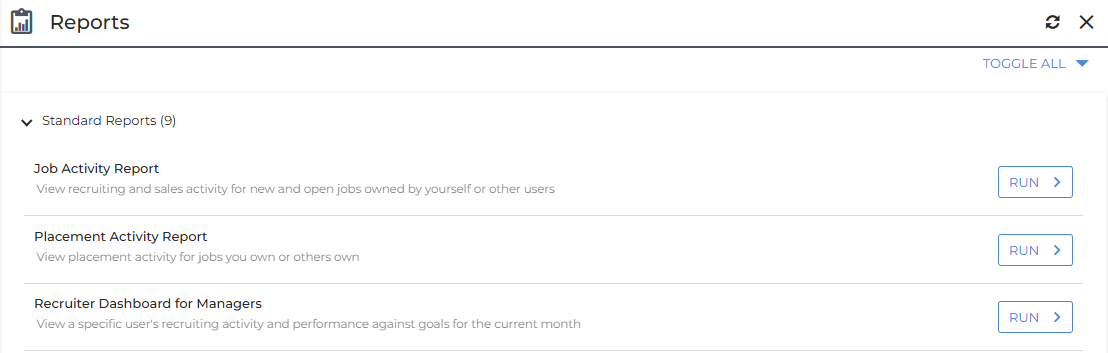
Users with access can open them from Menu > Tools > Reporting as usual.

-
Options and results appear on one page. Results display below your report options. Select Run to view reports.
-
Clearer error messages. Problems appear next to the field that needs fixing. You’ll also see messages when no data is found, when you lack access, or when a report takes too long.
-
Refresh button on the report list.
What works the same:
-
Your Reporting and Dashboards menu buttons and the reports your user type can run.
-
Reports grouped by category, with Toggle All to expand or collapse them. Click Run or double-click a report to run it.
-
The same report options and output formats. Reports with no options run immediately.
-
HTML reports display on the page. Other files open in a new browser tab or download. Word and XML files download only.
-
Dashboard reports: choose a dashboard, whose data to view (My data, Department or Company), and a preset date range or your own From and To dates.
Known limitations:
-
The Recent Reports and Administer Reports options will be available in a future release.
-
There’s no Page Setup option.
-
A report set to open a custom page shows “This report cannot be run from this page.”
-
Record pickers don’t pre-fill default values.
-
Results expire after 60 minutes. If a report takes too long, refine your options and run it again.